OUR MISSION




We custom tailor our services to fit YOUR needs.
-
- SOS MSP Fully Managed: We are your virtual IT department. Industry best solutions and services customized to your size company for Cyber-Security, Disaster/Data Protection, Pro-Active Support.
-
- SOS Hybrid Services: Shoestring budget IT support for your small business. Our Core services are billed monthly starting at $7/mo. per computer.
-
- Maintenance, Monitoring, & Unlimited Support all for a lower price than hiring an employee. We are experts!

SOS|Support has been recognized with the coveted Global Top MSP 501 Award setting us apart from any other IT Company in Utah.
-
- SOS MSP Fully Managed: We are your virtual IT department. Industry best solutions and services customized to your size company for Cyber-Security, Disaster/Data Protection, Pro-Active Support.
-
- SOS Hybrid Services: Shoestring budget IT support for your small business. Our Core services are billed monthly starting at $7/mo. per computer.
-
- Maintenance, Monitoring, & Unlimited Support all for a lower price than hiring an employee. We are experts!
-
- SOS MSP Fully Managed: We are your virtual IT department. Industry best solutions and services customized to your size company for Cyber-Security, Disaster/Data Protection, Pro-Active Support.
-
- SOS Hybrid Services: Shoestring budget IT support for your small business. Our Core services are billed monthly starting at $7/mo. per computer.
-
- Maintenance, Monitoring, & Unlimited Support all for a lower price than hiring an employee. We are experts!

SOS|Support has been recognized in the 2017 & 2018 Next Gen 250 list as a standout “Cutting Edge” IT Solution Provider.

SOS|Support has been recognized with the coveted Global Top MSP 501 Award setting us apart from any other IT Company in Utah.

Free Business IT Guide
– Secrets about the I.T. Services industry that Business owners and managers don’t know and MOST I.T. providers never tell them
– Top 20 questions that will reveal within minutes if your IT Support provider is unethical or incompetent
– Viruses, malware and hackers: What you need to know
– One surefire sign that you should RUN – not walk – away from a computer support firm!
 Business IT Guide author; Jason Kidman
Jason Kidman founded SOS|Support in 2004. His passion is to instill Integrity, Strong Values, and Great Communication into the way SOS provides support for their clients. Jason wants clients to feel SOS as a Partner and an Asset.
The core of SOS Support’s business is to treat every client with the best professional service while establishing win-win relationships. We will never sell or recommend something your business does not need.
SOS was built on the foundation of customer service with these 4 focuses:


Constantly Connected
SOS Support makes the IT experience uncomplicated for our customers by being connected constantly for easy communication. You can make one call, send an email, or open a ticket in our portal and rest assured your IT issue is our priority. We pride our company on communication, reliability, organization, reputation, client satisfaction, and personalized service making your experience with us an easy one.

Right the First Time
SOS Support provides high quality, unique, tailored solutions and Fully Managed I.T. solutions for businesses. Our clients are the most important part of what makes SOS a successful company. This quality of work is what sets us apart from other IT companies along the Wasatch front and Salt Lake City.

Your Emergencies are Ours
We provide pro-active service and constant IT support for our customers offering a variety of services depending on needs such as Emergency Support, SOS Support, and After Hours Support

Packages Tailored to You
SOS Support is competitively and aggressively priced. We offer select services and packages for customers to take the guesswork out of selecting services, making your IT experience trouble-free.
We provide IT support for the following companies…









SOS|Support Blog
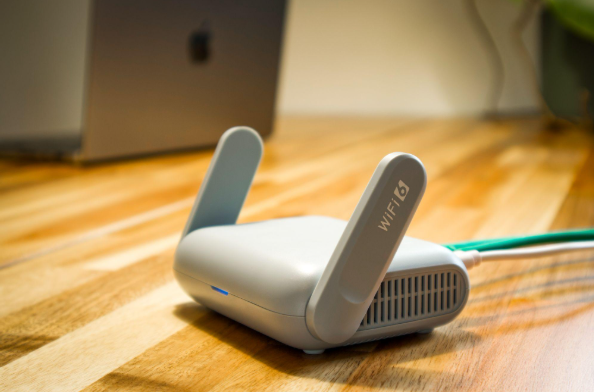
Why Guest Wi-Fi Should Be Separate From Your Business Network
Summary: Guest Wi-Fi should provide internet access while blocking connections to your internal business network. A different Wi-Fi name and password do not confirm that the networks are separated. The router, access points, and firewall must also be
20 October, 2026
What Happens to Your Data When You Cancel a Cloud Service?
Summary: Before canceling a cloud service, export your data and confirm that the files can be opened or imported. Move any connected applications and sign-ins, then check the provider’s current rules for access, billing, retention, and deletion. A cl
15 October, 2026
Should Employees Use Personal Devices for Work?
Summary: Allow personal devices only for approved work, through approved apps, and when the device meets your security requirements. Use company-owned devices for administration, sensitive work, or jobs that require large amounts of data to be stored
10 October, 2026
Why Your Employees Shouldn’t Have Administrator Access to Their Computers
Summary: Employees should use standard accounts for email, web browsing, and everyday work. Administrator access should be limited to approved IT tasks and protected with a separate account. Administrator access often starts with one request. An empl
05 October, 2026